
Haiku Deck A Fantastic App for School Counsellors

HAIKU DECK is a fantastic app to use for School Counsellors. It is no secret that I love this app. I love this app because it is easy to use and creates professional looking beautiful presentations that I can easily use in my counselling office or as a professional development tool that I can use in presentations with other school counsellors. Stunning visuals have the ability to evoke emotion, a powerful tool for school counsellors to utilize. By being an active champion of both learning and technology school counsellors can use Haiku Deck to create amazing visuals that not only assist students in learning , but they can actually help students.

If you would like to try the web app please click  here: You are invited to try the Haiku Deck web app.
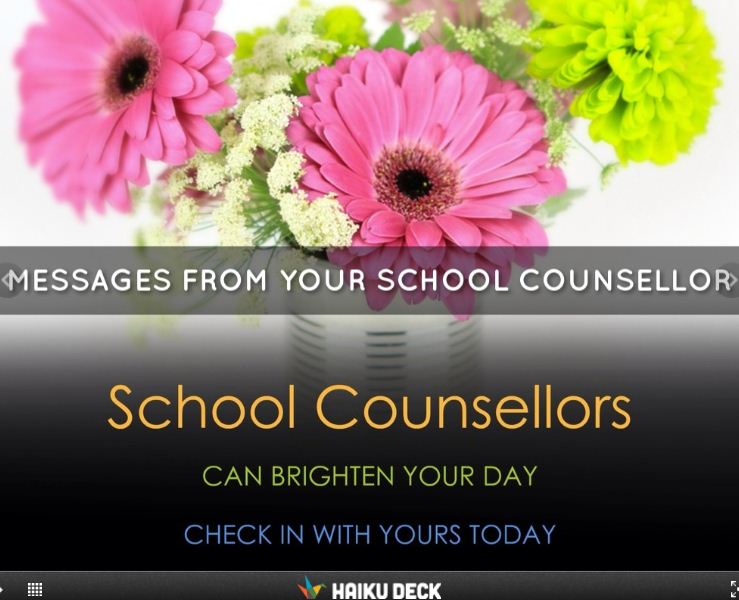
 Image                     

Click here to see this deck:

The newest version of Haiku Deck is even better than before. Check out the Haiku Deck blog for some hot tips on how to make new and exciting presentations.

The truth about stories is, that ‘s all we are”.

Thomas King

Image

School Counsellors can use this app to:

  • Share stories (while still keeping confidentiality)
  • Engage students brain to help them remember what is important
  • Share small and/or  big ideas
  • Present topics to other counsellors
  • Share ideas or topics with students ( easy to share in your office as topic starters)
  • Have students create decks on coping skills or to tell their story
  • Co create a deck with students
  • Create positive quotes and have them rotating in your office
  • Post Haiku Deck’s on your schools facebook site.
  • Tweet decks to students in your school with messages that promote school counselling
  • Tweet decks to other school counsellors.

Please feel free to share ideas you come up with so we can remix and share the best Haiku Deck’s for School Counsellors ever.

Parents might also like getting Haiku Deck’s. It is a great way to promote your School Counselling Program.

Because HAIKU DECK has a Creative Commons license, finding a picture that fits your ideas is fast and easy and as school counsellors this is extremely helpful. It’s as easy as 1-2-3 to set yourself up and share.

How to use Haiku Deck for school counsellors:

STEP 1 Go to: http://www.haikudeck.com/

STEP 2: Sign up for Haiku Deck and create a password

STEP 3: Download the app on your IPAD and start creating

Haiku-Easy-Steps

Need ideas and visuals go to the gallery where you will find all kinds of great HAIKU DECKS.

Start using Haiku Deck now and your life as a school counsellor will become be enhanced because you’ll get to share great presentations with others that look like it took you forever to create!

You can view more presentations in Haiku Deck’s Gallery, Haiku Deck’s Pinterest boards, and make sure you follow and share your experiences with Haiku Deck on Twitter (you can even tweet your fantastic presentations to them with #setyourstoryfree ) .

Check out  Susan’s Pinterest HaikuDecks for school counsellors to get you started with some ideas. 

Follow Haiku Deck on twitter @haikudeck

School Counsellors please share your counselling haikudeck’s with me on twitter @sspellmancann. I would like to pin and share with others. let’s work together to make some of the best deck’s ever for students. 

Click below to see Erin Luong’s Haiku Deck ( high school counsellor)  that she co- created with a student.


 HD Tips and tricks

Connection In a Self- Directed Learning Environment: Learning and Teaching in the Digital Age

What’s going on inside the building of Bishop Carroll is not only exciting, but innovative, educational and engaging. Not only are the halls of Bishop Carroll High School buzzing, but inside the offices of several educators learning is taking place.

Bishop Carroll High School is a part of the Canadian Coalition of Self- Directed Learning

Bishop Carroll works together with other members of the coalition to improve the self-directed experience of all the learners. These schools meet together on an ongoing basis as well as convene at a yearly conference to look at ways of improving the model for students.

All of us at Bishop Carroll agree that we have never been in a school where so much focus and dialogue on instruction takes place on a regular basis. In fact, our staff has biweekly professional development meetings to ensure that we are able to collaborate on best practices and share new ideas. Teachers are continually focusing on how they can make things better for students in a self-directed learning environment.

Bishop Carroll has been around and functioning for over 40 years. Changing visions and learners have meant that staff has also adjusted to honor the shift.  Within the last four years, the staff started making a technological commitment. Innovative practices, sharing, collaboration, encouraging our students to experiment with different formats and technological materials has produced growth for not only students, but also teachers. Students have many choices in how they choose to receive information ranging from personal exploration of a topic, pod casts, discussion forums, Google- docs, multimedia presentations, digital learning guides and a focus on digital citizenship.

Technology has not replaced teachers, but has enhanced the learning experience for both the teacher and the student. Technology can be seen as a launching pad for further and more in depth discussions.

Three of us at Bishop Carroll have signed up for an educational experience like none other.  Seeing as we already focus on technology as part of our teacher professional growth plans, we felt that getting involved at an international level would be very beneficial. This is a first MOOC for all three of us. What is a MOOC? It is a Massive Open Online Course. We are taking #ETMOOC and are so happy we are involved in this process as it reminds us of what it is like to be a student in the 21st century. For more information go to ETMOOC

How are #etmoocers like students in our self-directed school?

Both:

  1. are self- directed learners.
  2. set our own learning goals
  3. at first experience an increase of  anxiety in a new learning environment
  4. are following a personalized program
  5. are excited about learning in a place that honors the way we want to learn
  6. are encouraged to be autonomous and have opportunities to direct our own learning
  7. are taking risks (we ask students to do this every day)
  8. are critically examining what we do and why we do it
  9. look to teachers to guide them through the process
  10. are self- paced, involving continuous progress
  11. are student centered environments with a focus on active learning, reflection and collaboration
  12. ask for HELP, and often it’s  just a click away

Today we chose to collaborate to write this blog post as part of the sharing experience. As we progress through this open forum we hope to continue to share best practice in both the teaching realm as well as what we are doing in the role as school counsellors.
Happy blogging
erin heather susan

http://www.sspellmancann.wordpress.com
http://www.erinluong.wordpress.com
http://www.heatherenzie.wordpress.com